What UMI is
UMI, the Universal Manipulation Interface, is a way to teach a robot a hand skill by demonstrating the skill with a hand-held gripper, then running a model that imitates those demonstrations. The paper and the project site are umi-gripper.github.io. This page is the part you need before the next chapter, not a summary of the paper.
What a demonstration is
Someone holds a gripper, does the task, and the device records what the wrist camera saw and how the hand moved. A demonstration of "pick up the block" is a few dozen seconds of that, called an episode. A dataset is many episodes of the same task, including the ones where the hand missed and tried again, within reason.
The gripper in the demonstration and the gripper on the robot are the same shape, with the camera in the same place. The policy never sees a third-person view of the room. It sees the fingers and the object, which is why your sim camera is mounted on the gripper's camera site and not on the ceiling.
What the policy outputs
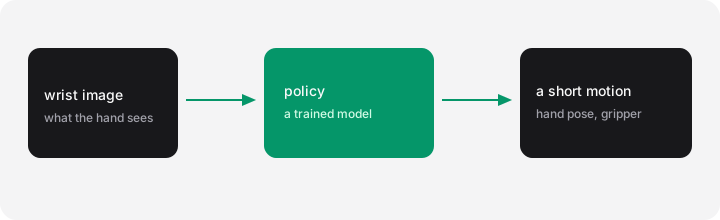
The model does not output a program, and it does not output "pick up the block" as a plan it will follow for a minute. Several times a second it looks at the latest wrist image (and the arm's recent motion) and outputs a short chunk of future motion: where the hand should be, and how open the gripper should be, over the next second or so. The skill sends that chunk to the arm. Then the policy looks again, and the unused tail of the previous chunk is thrown away.
That loop is why a policy can recover when the block slips. It is also why a wrong camera mount looks like a bad model: every frame is shifted, and every chunk aims at the wrong place.
Where Solarian puts the pieces
| UMI idea | In your project |
|---|---|
| The behavior that queries the model | UMISkill, a skill |
| The process that holds the checkpoint in memory | a policy service, solarian run-service |
| The checkpoint | a file path in the skill's YAML |
| The wrist image and the joint readings | the observation you already defined |
| The motion command | Cartesian MOVE_L on the arm, millimetres on the gripper |
You do not train anything in the next chapter. You point a skill at a checkpoint someone else trained, and press a key. Training is Tutorial 5. Collecting your own demonstrations with a hand-held recorder is the Lumi chapter of that tutorial. The recorder exists so you can demonstrate a task without teleoperating the robot for every episode.
Next: run a pretrained pick.